Getting internet into a property doesn’t necessarily require fibre, a phone line or a lengthy broadband contract.
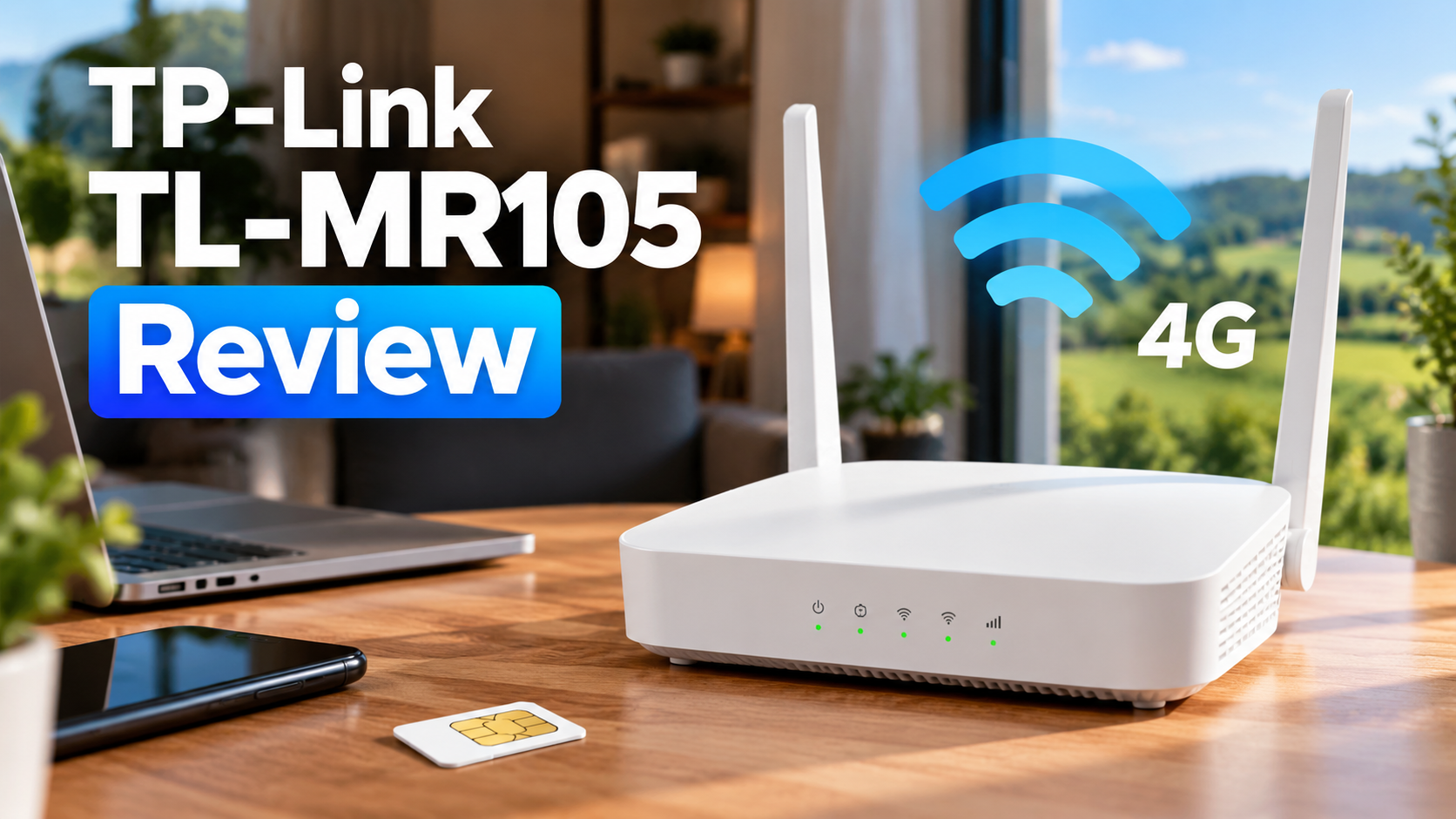
Put a compatible nano-SIM into the TP-Link TL-MR105 and it can turn a 4G mobile connection into a Wi-Fi network for your home, holiday property, caravan or temporary accommodation.
And that’s what makes this relatively inexpensive little router so interesting.
The TL-MR105 supports 4G download speeds of up to 150Mbps, connects up to 32 wireless devices and can also connect wired devices through Ethernet.
There are limitations. It’s a 4G Cat4 router rather than 5G, Wi-Fi is limited to the 2.4GHz band, and the Ethernet connections are 10/100Mbps rather than Gigabit.
But if what you actually want is an affordable router that lets you insert a SIM card and get multiple devices online, those compromises may not matter very much.
For people who need straightforward 4G internet without paying for a much more expensive 5G router, the TP-Link TL-MR105 makes a compelling case.
👉 Check the latest TP-Link TL-MR105 price on Amazon
As an Amazon Associate, ReviewedByFred may earn from qualifying purchases.
TP-Link TL-MR105 at a Glance
| Feature | TP-Link TL-MR105 |
|---|---|
| Mobile network | 4G LTE Cat4 / 3G |
| Maximum 4G download | Up to 150Mbps |
| Maximum 4G upload | Up to 50Mbps |
| Wi-Fi | Wi-Fi 4 (802.11n) |
| Wi-Fi band | 2.4GHz |
| Maximum Wi-Fi link speed | 300Mbps |
| Connected wireless devices | Up to 32 |
| SIM | Nano-SIM |
| Ethernet | 2 × 10/100Mbps |
| External LTE antenna ports | 2 |
| App | TP-Link Tether |
| Guest network | Yes |
| Parental controls | Yes |
| VPN support | Yes |
There’s an important distinction here.
The 300Mbps advertised for the router is the maximum theoretical Wi-Fi link rate – not the speed of the 4G internet connection.
The cellular connection itself is rated for up to 150Mbps download and 50Mbps upload.
Actual internet performance will depend heavily on your mobile network, signal strength, network congestion and location.
👉 View the TP-Link TL-MR105 on Amazon
What Is the TP-Link TL-MR105?
The TL-MR105 is essentially a home Wi-Fi router with a mobile connection built into it.
Instead of requiring a fixed broadband line, there’s a nano-SIM card slot on the router.
Insert an activated SIM with an appropriate data plan, connect the router to power and it can use that mobile connection to create a Wi-Fi network.
Your phones, laptops, tablets, TVs and other devices then connect to the TL-MR105 much like they would connect to an ordinary home router.
That opens up several useful applications.
You could use one for:
- a home without fixed broadband
- temporary accommodation
- a holiday home
- a caravan or static caravan with mains power
- an Airbnb or short-term rental
- a home office
- rural internet
- backup internet
- a property waiting for fibre installation
Because it’s a router rather than a personal mobile hotspot, it’s designed to provide a more permanent network for multiple devices.
How Does the TP-Link TL-MR105 Work?
The basic principle is remarkably simple.
You need three things:
1. The TL-MR105
2. A compatible nano-SIM
3. A suitable mobile data plan
Insert the SIM, connect the router to mains power and allow it to connect to the mobile network.
The TL-MR105 then broadcasts its own Wi-Fi network.
TP-Link also provides its Tether app for Android and iOS, allowing you to manage the network from your phone.
That includes features such as connected-device management, guest Wi-Fi and parental controls.
There’s also a web interface if you’d rather manage your router from a browser.
For someone specifically looking for relatively straightforward mobile broadband, this simplicity is one of the TL-MR105’s biggest attractions.
How Fast Is the TP-Link TL-MR105?
TP-Link rates the TL-MR105’s 4G LTE connection at:
Up to 150Mbps download
Up to 50Mbps upload
Those are theoretical maximums rather than a promise that you’ll receive a 150Mbps internet connection.
Your actual performance depends on factors including:
- mobile network
- 4G coverage
- distance from the mobile mast
- network congestion
- time of day
- positioning of the router
- building construction
- your SIM and data plan
This is particularly important with mobile broadband.
Two houses using identical TL-MR105 routers could experience very different speeds simply because one has a stronger mobile signal.
What Does the 300Mbps Specification Mean?
The 300Mbps figure refers to the router’s maximum 2.4GHz Wi-Fi link rate.
It doesn’t mean the TL-MR105 can download from the internet at 300Mbps over 4G.
The 4G connection itself is rated at up to 150Mbps.
That’s an important distinction to understand when comparing SIM routers.
Is 150Mbps Fast Enough?
For many people, yes.
You don’t need hundreds of megabits per second for ordinary web browsing, streaming or remote working.
A good 4G connection could potentially handle:
- web browsing
- social media
- HD and 4K streaming
- video calls
- remote working
- smart-home devices
- general household internet use
The important word, however, is potentially.
Buying a router capable of 150Mbps doesn’t magically improve poor 4G coverage.
If your phone already struggles to get a usable signal on a particular mobile network inside the property, you should investigate coverage before assuming the TL-MR105 will solve the problem.

Can the TP-Link TL-MR105 Replace Home Broadband?
For some people, absolutely.
But I wouldn’t present it as a universal replacement for fibre broadband.
If you have access to a fast, reliable full-fibre connection at a sensible price, fibre will generally provide a more consistent connection with lower latency and potentially much higher speeds.
The TL-MR105 becomes much more interesting when traditional broadband is inconvenient.
Imagine you’ve just moved into a property and fibre won’t be installed for three weeks.
Instead of tethering everything to your phone, you could put a data SIM into the TL-MR105 and create a conventional Wi-Fi network.
The same applies to a holiday property that sits empty for much of the year.
Or perhaps you live somewhere where fixed broadband is poor but a particular mobile network has excellent 4G coverage.
Those are the situations where a SIM router starts making a lot of sense.

A Potentially Excellent Router for Holiday Homes
This is one of the most interesting uses for the TL-MR105.
Fixed broadband isn’t always economical for a property you only use periodically.
A SIM router gives you another option.
Provided you’ve got good 4G coverage and a suitable data plan, you can create a proper Wi-Fi network without necessarily having to arrange a traditional broadband installation.
You can then connect devices including:
- smart TVs
- streaming sticks
- laptops
- phones
- tablets
- smart speakers
- security equipment
The TL-MR105 supports up to 32 wireless devices, which should be plenty for many smaller properties.
Just remember that all of those devices are ultimately sharing the same 4G internet connection.
What About Caravans and Motorhomes?
The concept makes sense, but there’s an important caveat.
The TL-MR105 is a mains-powered router rather than a battery-powered mobile hotspot.
For a static caravan or another setup where you have suitable power available, that’s unlikely to be a problem.
If you specifically need pocket-sized internet that you can carry around while travelling, a dedicated mobile hotspot may be more suitable.
Where the TL-MR105 has an advantage is that it behaves much more like a conventional home router.
It can remain in place, provide a persistent Wi-Fi network and connect compatible wired devices using Ethernet.
Wi-Fi: The Biggest Compromise
This is probably the specification I’d pay the most attention to before buying.
The TL-MR105 broadcasts on 2.4GHz and uses Wi-Fi 4 / 802.11n technology.
There’s no 5GHz Wi-Fi.
That makes it considerably less sophisticated than modern dual-band home routers.
But context matters.
If you’re buying the TL-MR105 to provide relatively inexpensive 4G connectivity to a small property, caravan, home office or temporary accommodation, 2.4GHz may be perfectly adequate.
The 2.4GHz band can also offer useful range and wall penetration, although it tends to be more congested than 5GHz.
Where I’d hesitate is a large, busy household with lots of demanding devices.
If you’re trying to replace a high-performance fibre router across a large home, I’d look at more capable 4G or 5G networking equipment.
The TL-MR105 makes most sense as an affordable 4G router, not as a high-end home networking system.
Can You Connect Devices Using Ethernet?
Yes.
The router provides two Ethernet connections:
- 1 × 10/100Mbps LAN port
- 1 × 10/100Mbps LAN/WAN port
That means you can connect compatible equipment directly rather than relying entirely on Wi-Fi.
This could be useful for a desktop PC, television or another device where you’d prefer a wired connection.
The LAN/WAN port also gives the router additional flexibility with a wired internet connection.
However, these are Fast Ethernet rather than Gigabit Ethernet ports.
That’s another indication of where this product sits in the market: straightforward and affordable rather than cutting edge.
External Antenna Support Is a Useful Addition
The TL-MR105 includes connections for external LTE antennas.
That could become important in a location where mobile reception isn’t ideal.
Rather than being permanently limited to the router’s built-in setup, you have the option of investigating compatible external antennas if reception becomes a problem.
I wouldn’t automatically buy an external antenna alongside the router.
Try the router first.
Positioning can make a surprisingly significant difference to mobile broadband performance, so experiment with different locations – particularly near windows – before spending more money.
Up to 32 Connected Devices
TP-Link says the TL-MR105 supports up to 32 wireless devices.
That’s plenty on paper for the sort of situations where this router makes the most sense.
But I wouldn’t interpret that specification as meaning you should buy one to run 32 bandwidth-hungry devices simultaneously.
They’re all sharing the same mobile internet connection.
A couple using laptops, smartphones, a smart television and several connected devices is very different from dozens of devices simultaneously trying to stream large amounts of data.
The specification is useful, but your available 4G bandwidth remains the limiting factor.
Useful Software Features
Despite being positioned towards the affordable end of the market, the TL-MR105 isn’t completely barebones.
Guest Network
You can create a separate Wi-Fi network for visitors rather than sharing access to your primary network.
Parental Controls
Internet access can be managed for specific devices.
TP-Link Tether
The Tether app provides straightforward network management from a smartphone.
Access Control
You can manage which devices are allowed to connect to the network.
VPN Functionality
The router also offers VPN functionality, adding another useful feature for more advanced users.
For an inexpensive 4G router, it’s a respectable selection of network-management features.
What I Like About the TP-Link TL-MR105
The Price
This is probably the biggest attraction.
5G routers can cost considerably more.
If you only need an inexpensive way to share a decent 4G connection, paying for cutting-edge networking hardware may be unnecessary.
Nano-SIM Support
This is the entire reason the product exists.
Put an appropriate mobile data SIM into the router and you can create a Wi-Fi network without relying on fixed broadband.
Ethernet Connectivity
Two wired ports make the TL-MR105 more useful as a semi-permanent home router than many portable hotspots.
External Antenna Connections
Having the option to investigate improved LTE reception is particularly useful for rural or marginal-signal locations.
Up to 32 Wireless Devices
That’s more than enough capacity for many of the situations where I’d consider this router.
Straightforward Management
TP-Link’s Tether app and browser interface make network management accessible without requiring extensive networking knowledge.
👉 Check the current TP-Link TL-MR105 price on Amazon
What I Don’t Like About the TP-Link TL-MR105
There are compromises at this price.
No 5G
This is a 4G LTE router.
If you’ve got excellent 5G coverage and want maximum mobile broadband performance, I’d consider a 5G router instead.
2.4GHz Wi-Fi Only
There’s no 5GHz band.
That’s probably the biggest networking limitation of the TL-MR105.
No Gigabit Ethernet
Both Ethernet connections top out at 100Mbps.
Performance Depends Heavily on Your Mobile Network
This isn’t really a TP-Link problem, but it’s critical to the buying decision.
A router can’t create a strong 4G connection where one doesn’t exist.
Check which mobile networks perform well at the location where you intend to use it.
TP-Link TL-MR105 vs Using Your Phone as a Hotspot
Why spend money on a router when your phone can already create a hotspot?
For occasional use, you probably shouldn’t.
If you only need to connect your laptop for an hour because your broadband has gone down, your phone is much easier.
The TL-MR105 makes more sense for semi-permanent or permanent use.
Your phone can leave the house without taking the internet connection with it.
The router can remain switched on.
Multiple devices can connect to a persistent network.
Wired Ethernet becomes available.
And you don’t have to use your phone and its battery as a household router all day.
That’s a completely different proposition from occasional tethering.
Who Should Buy the TP-Link TL-MR105?
I’d consider it if you:
Need Temporary Home Internet
Moving house or waiting for broadband installation is an ideal use case.
Have Poor Fixed Broadband but Good 4G Coverage
A suitable mobile data plan could provide an alternative.
Need Wi-Fi in a Holiday Property
You can create a network without necessarily installing a traditional fixed broadband line.
Want Internet in a Caravan With Suitable Power
This could be particularly useful for a static or semi-permanent setup.
Need Backup Internet
Keep an appropriate SIM available and you’ve got another connectivity option if your primary broadband fails.
Want an Affordable SIM Router
If 4G is fast enough for your needs, you don’t necessarily need to pay for a substantially more expensive 5G model.
👉 See the TP-Link TL-MR105 on Amazon
Who Shouldn’t Buy It?
I’d look elsewhere if:
- you specifically want 5G
- you need 5GHz Wi-Fi
- you need Gigabit Ethernet
- you’re building a high-performance home network
- your local 4G coverage is poor
- you need a battery-powered portable hotspot
- you already have fast and inexpensive fibre broadband
This isn’t a replacement for every router.
It’s an affordable solution to a specific connectivity problem.
And that’s precisely why it makes sense.
Final Verdict: Is the TP-Link TL-MR105 Worth Buying?
The TP-Link TL-MR105 makes most sense when you stop comparing it with premium home routers and consider the problem it’s actually trying to solve.
It’s an affordable way of turning a 4G mobile connection into a proper Wi-Fi network.
Insert a suitable nano-SIM and you could get a holiday property online, create temporary internet while waiting for broadband, provide connectivity to a caravan, establish backup internet or even replace a poor fixed broadband connection.
There are obvious limitations.
It’s 4G rather than 5G. Wi-Fi is restricted to 2.4GHz. Ethernet tops out at 100Mbps. And your actual internet performance is ultimately determined by the mobile connection available at your property.
But those compromises are also what allow the TL-MR105 to remain relatively inexpensive.
If you have decent 4G coverage and simply want an affordable SIM-card router that can provide Wi-Fi to multiple devices, the TP-Link TL-MR105 is a very sensible option to consider.
For demanding households with fast 5G coverage, I’d spend more.
For straightforward 4G internet without the cost of a premium router, the TL-MR105 hits a useful sweet spot.
👉 Check the latest TP-Link TL-MR105 price on Amazon
As an Amazon Associate, ReviewedByFred may earn from qualifying purchases.
TP-Link TL-MR105 FAQ
Does the TP-Link TL-MR105 take a SIM card?
Yes. The TP-Link TL-MR105 has a nano-SIM card slot and uses a compatible 3G or 4G mobile connection to provide internet access.
Does the TP-Link TL-MR105 support 5G?
No. The TL-MR105 is a 4G LTE Cat4 router rather than a 5G router. If you specifically want to take advantage of a fast 5G mobile connection, you’ll need a 5G-compatible router.
How fast is the TP-Link TL-MR105?
TP-Link specifies maximum 4G LTE speeds of up to 150Mbps download and 50Mbps upload.
Real-world speeds will depend on your mobile network, coverage, signal strength, congestion and location.
Why does the TP-Link TL-MR105 say 300Mbps?
The 300Mbps figure refers to the router’s maximum theoretical 2.4GHz Wi-Fi link rate.
It does not mean the TL-MR105 can achieve a 300Mbps internet connection over 4G. The 4G connection itself supports theoretical download speeds of up to 150Mbps.
How many devices can connect to the TP-Link TL-MR105?
TP-Link says the TL-MR105 can support up to 32 wireless devices.
Remember that all connected devices ultimately share the same mobile internet connection, so performance will depend on the available 4G bandwidth.
Does the TP-Link TL-MR105 have Ethernet ports?
Yes. The TL-MR105 has two 10/100Mbps Ethernet ports, one of which can operate as a LAN/WAN port.
This allows you to connect compatible devices directly to the router rather than relying entirely on Wi-Fi.
Does the TP-Link TL-MR105 have 5GHz Wi-Fi?
No. The TL-MR105 uses the 2.4GHz Wi-Fi band and supports Wi-Fi 4 (802.11n).
If dual-band Wi-Fi or 5GHz performance is important to you, you should consider a more advanced router.
Can the TP-Link TL-MR105 replace home broadband?
Potentially.
If you have strong 4G coverage and a suitable mobile data plan, the TL-MR105 could provide your main home internet connection.
However, a good fibre broadband connection will generally offer greater consistency, lower latency and potentially much higher speeds.
Can I use the TP-Link TL-MR105 in a caravan?
Yes, provided you have suitable power and adequate mobile coverage.
It’s worth remembering that the TL-MR105 is a mains-powered router rather than a battery-powered portable hotspot, making it better suited to static or semi-permanent setups.
Can I use the TP-Link TL-MR105 in a holiday home?
Yes. This is potentially one of its best uses.
A suitable mobile data SIM and good 4G coverage could provide Wi-Fi to phones, laptops, televisions and other devices without necessarily installing a traditional fixed broadband connection.
Can I connect an external 4G antenna?
Yes. The TP-Link TL-MR105 provides two external LTE/4G antenna connections.
An appropriate external antenna could be worth investigating if mobile reception inside your property is poor.
Related Reads